 CS2
CS2 Dota 2
 LoL
LoL Valorant
 OW
OW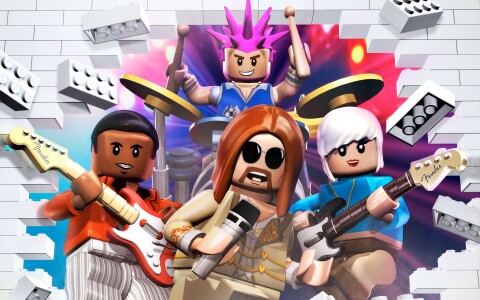
Lego Rock Band System Requirements
We have no record of a PC version of Lego Rock Band, so there are no PC system requirements to show. It came out on Wii, PlayStation 3, Nintendo DS, Xbox 360. Released in 2009.
Running Lego Rock Band on a computer
An emulator of the system the game came out on is another way to run it on a computer, and then the hardware it needs is the emulator's. You still need your own copy of the game.
Dolphin
Dolphin emulates Wii.
Minimum
- OS
- Windows 10 (1903 or higher), Linux, or macOS 11 Big Sur or higher
- Processor
- A CPU with SSE2 support
- Graphics
- A reasonably modern graphics card (Direct3D 11.1 / OpenGL 3.3)
Recommended
- Processor
- A modern CPU (3 GHz and dual core, not older than 2008)
- Graphics
- Direct3D 11.1 / OpenGL 4.4
Source: https://github.com/dolphin-emu/dolphin, read on 2026-09-08.
RPCS3
RPCS3 emulates PlayStation 3.
Minimum
- OS
- Windows 10, Windows 11; Linux 6.6 (Older LTS), Ubuntu 22.04 or later; macOS 15 or later; FreeBSD 14.4 or later
- Processor
- Any x64 CPU, AMD or Intel; CPUs without AVX2 or with 4 threads or less should perform badly, as should AMD CPUs with 2 cores per CCX
- Graphics
- AMD: OpenGL 4.3 or newer running on Linux, TeraScale architecture (HD 2000 series) or newer; NVIDIA: OpenGL 4.3 or newer, Fermi architecture (GTX 400 series) or newer; Intel: Vulkan 1.2 or newer, Alchemist architecture (A series) or newer
- Memory
- 8 GB of RAM or more; single-channel memory should perform badly
- Storage
- SSD or HDD storage for emulator data and games: 512 MB for base emulator data, 128 MB for emulator cache and console user data per installed game, plus a highly variable dev_hdd1 virtual console cache per installed game
- Notes
- For being able to boot/run games, performance is not guaranteed.
Recommended
- OS
- Windows 11 25H2 or later; Linux with latest stable or latest LTS kernel; macOS 15 or later; FreeBSD 14.4+, 15.0+ or later
- Processor
- AMD: 6 cores and 12 threads or more, Zen 3 architecture or newer; Intel: 6 cores and 12 threads, 8 cores or more, Comet Lake architecture or newer
- Graphics
- Vulkan 1.2 compatible with active driver support — AMD: RDNA architecture (RX 5000 series) or newer; NVIDIA: Turing architecture (RTX 2000 series) or newer; Intel: not recommended, Intel GPUs and drivers are currently unsupported
- Memory
- 16 GB of dual-channel RAM or more; memory in dual-channel mode is highly recommended over single-channel
- Storage
- SSD storage for emulator data, SSD or HDD storage for games: 512 MB for base emulator data, 128 MB for emulator cache and console user data per installed game, plus a highly variable dev_hdd1 virtual console cache per installed game
- Notes
- For running all playable games with playable performance.
Hardware requirements vary depending on your configuration; the project guarantees no good performance below the recommended tier.
Source: https://rpcs3.net/quickstart, read on 2026-09-12.
melonDS
melonDS emulates Nintendo DS.
Supported systems
- OS
- Windows (x64, ARM64), Linux (x64, ARM64), macOS (Universal), FreeBSD, NetBSD and OpenBSD (x64)
Source: https://melonds.kuribo64.net/downloads.php, read on 2026-09-12.
Xenia
Xenia emulates Xbox 360.
Minimum
- OS
- Windows 7 or later, 64-bit
- Processor
- 64-bit x86 processor with AVX(2) support
- Graphics
- Direct3D 12-compatible or Vulkan-compatible GPU with at least 2 GB VRAM
- Memory
- 4 GB
Recommended
- OS
- Windows 10 or later, 64-bit
- Processor
- 4th generation or later i5/i7 64-bit x86 processor with AVX(2) support
- Graphics
- GTX 980 Ti or later
- Memory
- 6 GB or more
Direct3D 12 requires Windows 10; GPUs without ROV or fragment shader interlock support run slower.
Source: https://github.com/xenia-project/xenia/wiki/Quickstart, read on 2026-09-08.
Where Lego Rock Band can be played
Platforms: Wii, PlayStation 3, Nintendo DS, Xbox 360.