 CS2
CS2 Dota 2
 LoL
LoL Valorant
 OW
OW
Super Monkey Ball Adventure System Requirements
We have no record of a PC version of Super Monkey Ball Adventure, so there are no PC system requirements to show. It came out on PlayStation 2, GameCube, PSP. Released in 2006.
Running Super Monkey Ball Adventure on a computer
An emulator of the system the game came out on is another way to run it on a computer, and then the hardware it needs is the emulator's. You still need your own copy of the game.
PCSX2
PCSX2 emulates PlayStation 2.
Minimum
- OS
- Latest Windows 10, macOS 11 (Big Sur), Ubuntu 22.04 or other Linux distro
- Processor
- x86-64 with SSE4.1, two physical cores with SMT, PassMark single-thread rating ≥ 1500
- Graphics
- Vulkan 1.1, Direct3D 11 or OpenGL 3.3, PassMark G3D Mark rating ≥ 600
- Memory
- 8 GB RAM
Moderate
- OS
- Windows 11, macOS 14–15 (Sonoma–Sequoia), Ubuntu 26.04 or other Linux distro
- Processor
- x86-64 with AVX2, four physical cores, PassMark single-thread rating ≥ 2000
- Graphics
- Vulkan 1.3, Direct3D 12, OpenGL 4.6 or Metal, PassMark G3D Mark rating ≥ 6000, 4 GB VRAM
- Memory
- 16 GB RAM
Hardware requirements can vary drastically between games; slower hardware may work but playability and performance are not guaranteed.
Source: https://pcsx2.net/docs/setup/requirements, read on 2026-09-08.
Dolphin
Dolphin emulates GameCube.
Minimum
- OS
- Windows 10 (1903 or higher), Linux, or macOS 11 Big Sur or higher
- Processor
- A CPU with SSE2 support
- Graphics
- A reasonably modern graphics card (Direct3D 11.1 / OpenGL 3.3)
Recommended
- Processor
- A modern CPU (3 GHz and dual core, not older than 2008)
- Graphics
- Direct3D 11.1 / OpenGL 4.4
Source: https://github.com/dolphin-emu/dolphin, read on 2026-09-08.
PPSSPP
PPSSPP emulates PSP.
Supported systems
- OS
- Windows, Linux, macOS, Android, iOS
- Graphics
- Direct3D 11, Vulkan or OpenGL
Source: https://github.com/hrydgard/ppsspp, read on 2026-09-08.
Games of the same series that run on PC
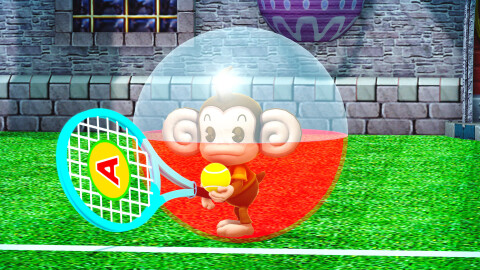
Where Super Monkey Ball Adventure can be played
Platforms: PlayStation 2, GameCube, PSP.